Never let a due date slip away.

DueKnot keeps every bill you owe on one timeline, ordered by when it's due, and reminds you before each one is due.

Coming soon to the App Store

Free for iPhone, iPad, and Mac. No account. No bank login. No subscription.

The DueKnot timeline: a monthly summary at the top, then bills grouped under Overdue, Due soon, and Upcoming.

How DueKnot works

The timeline filter menu: All, Overdue, Currently Due, Paid, Skipped, and the next 7 days, 2 weeks, or 30 days.

Every bill, one timeline

Add a bill once and DueKnot takes care of every one after it. Your bills line up by due date, sorted into Overdue, Due Soon, Upcoming, and Paid, so you always know what needs attention now and what can wait.

A monthly summary tells you what's left to pay, what's due soon, and what's overdue.

A rent bill with three reminders: 7 days before, 2 days before, and on the due date, each at 9:00 AM.

Reminders before it's due

Choose when to be reminded, from the due date itself up to two weeks before, at the time of day that suits you. Reminders are scheduled on your device, so they arrive even when you're offline.

Swiping a Lawn Care bill to the right reveals a green Mark as Paid button.

Paid in a swipe

Swipe to mark a bill paid, or skip it this time. Changed your mind? Undo it. The next one appears on its own, whether the bill is monthly or every two weeks.

Loans and other fixed-term bills count down to their final payment, then retire themselves.

Small touches, all the way through.

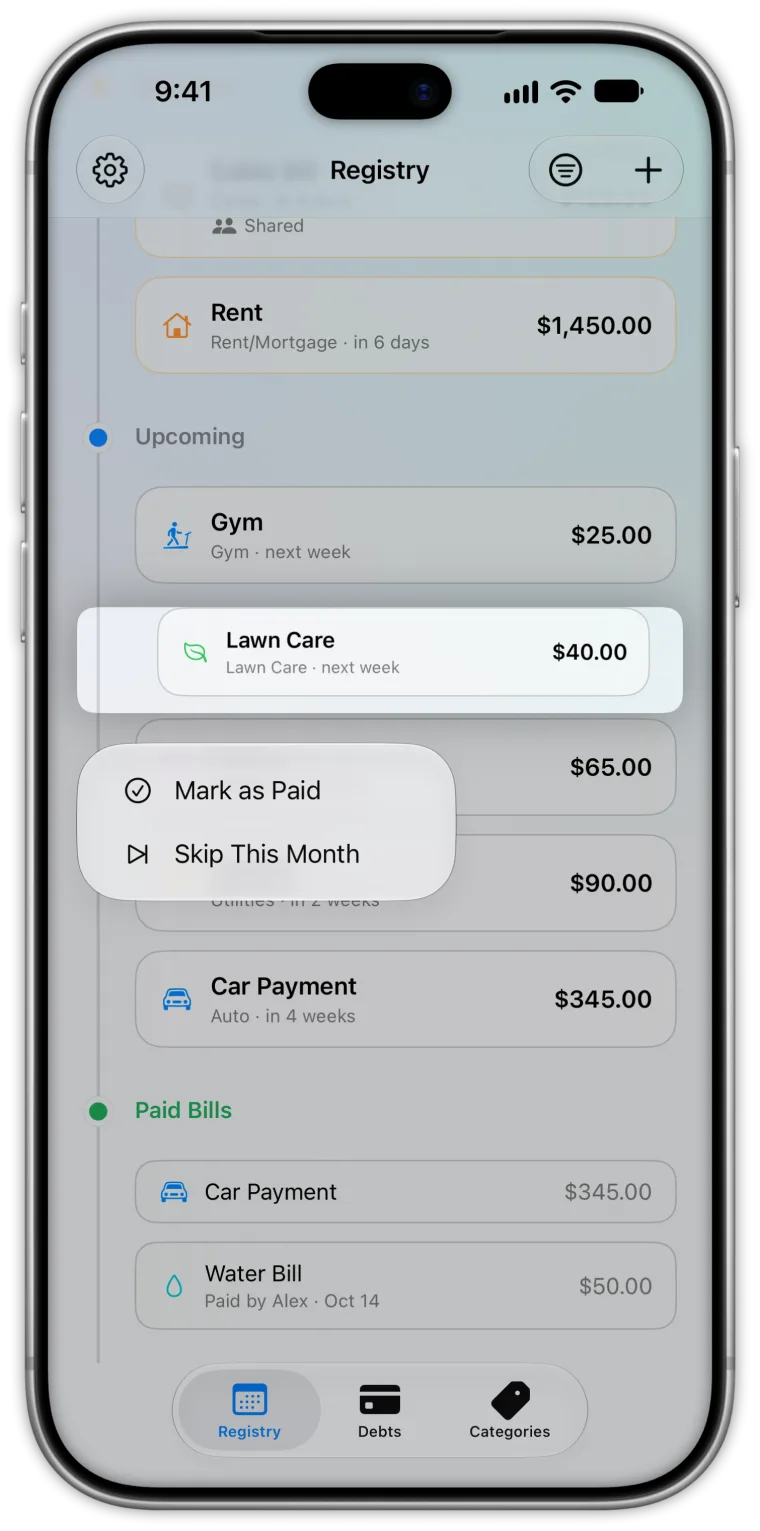
  • A bill's menu with Mark as Paid and Skip This Month.

    Paid or skipped, from a menu

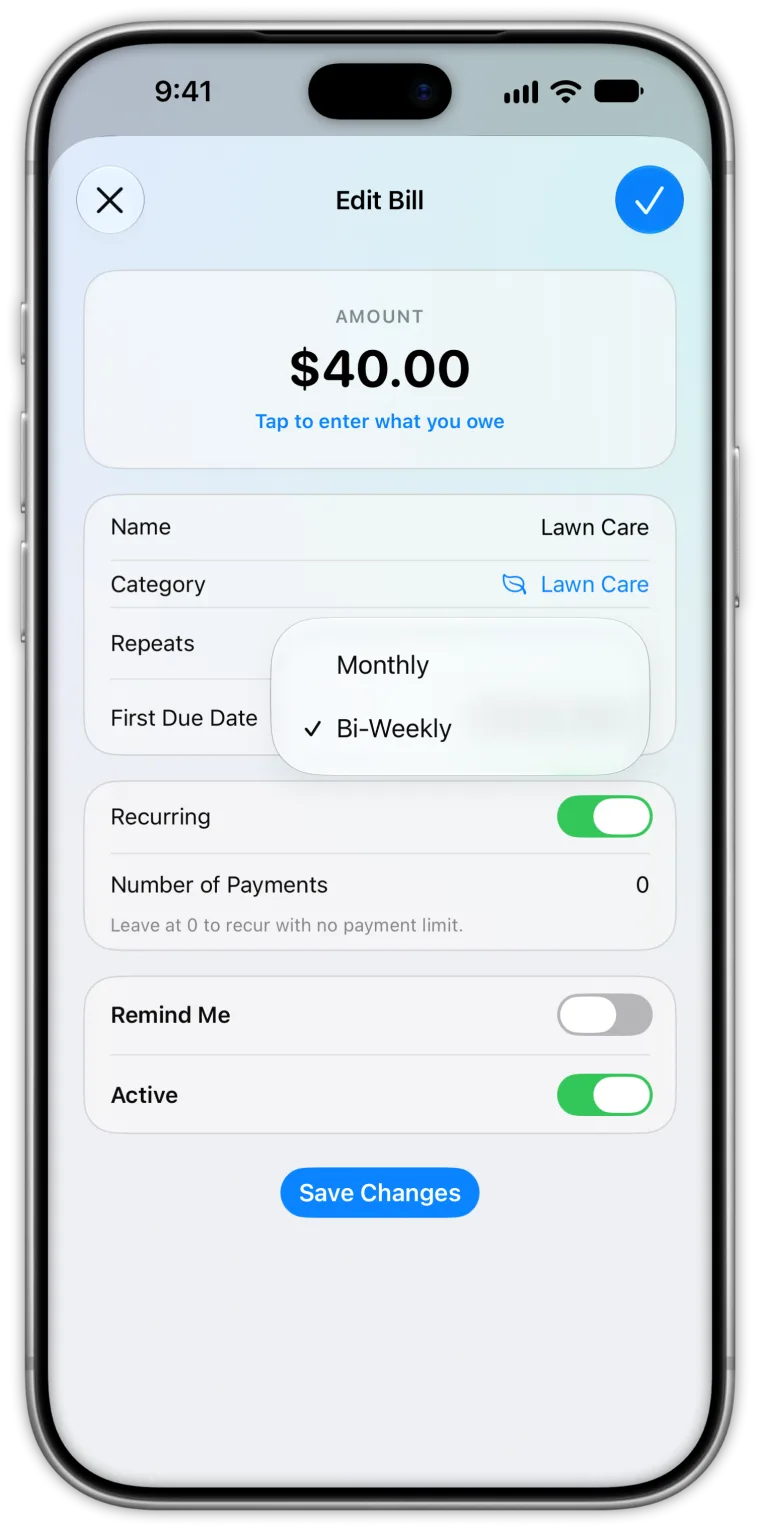
  • Editing a bill and choosing whether it repeats monthly or bi-weekly.

    Monthly or every two weeks

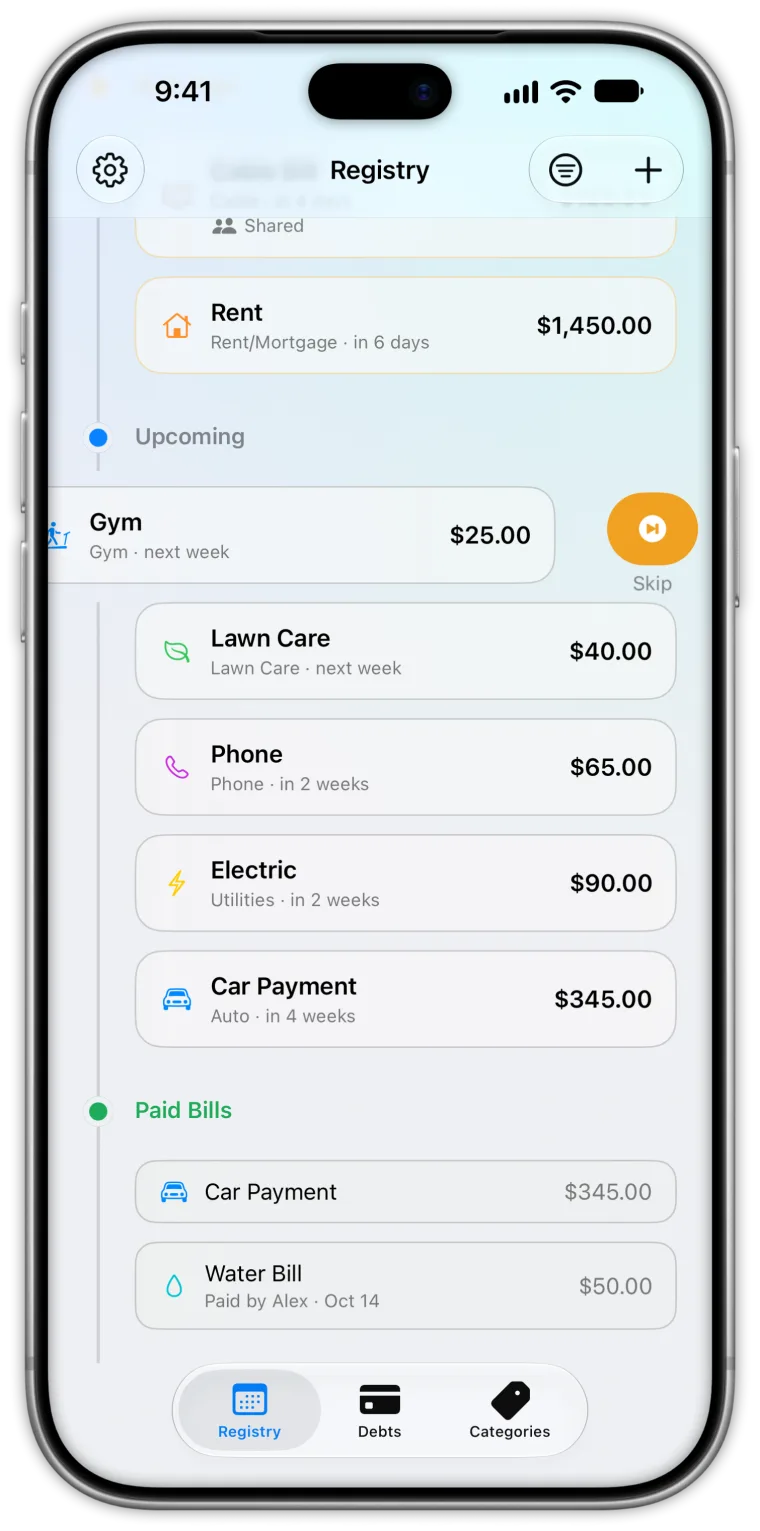
  • Swiping a Gym bill to the left reveals an orange Skip button.

    Swipe left to skip

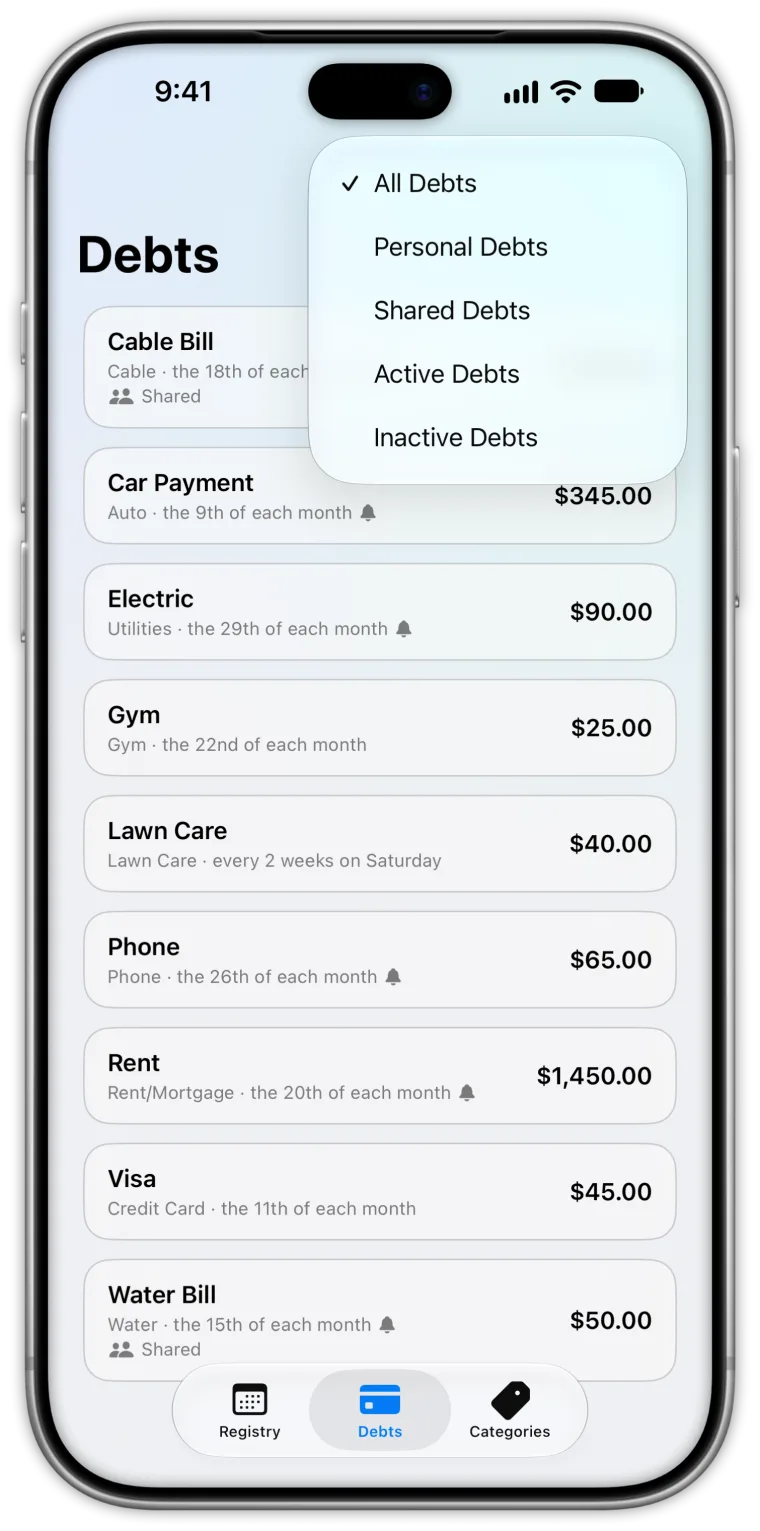
  • The Debts list filtered by All, Personal, Shared, Active, or Inactive debts.

    Personal and shared bills

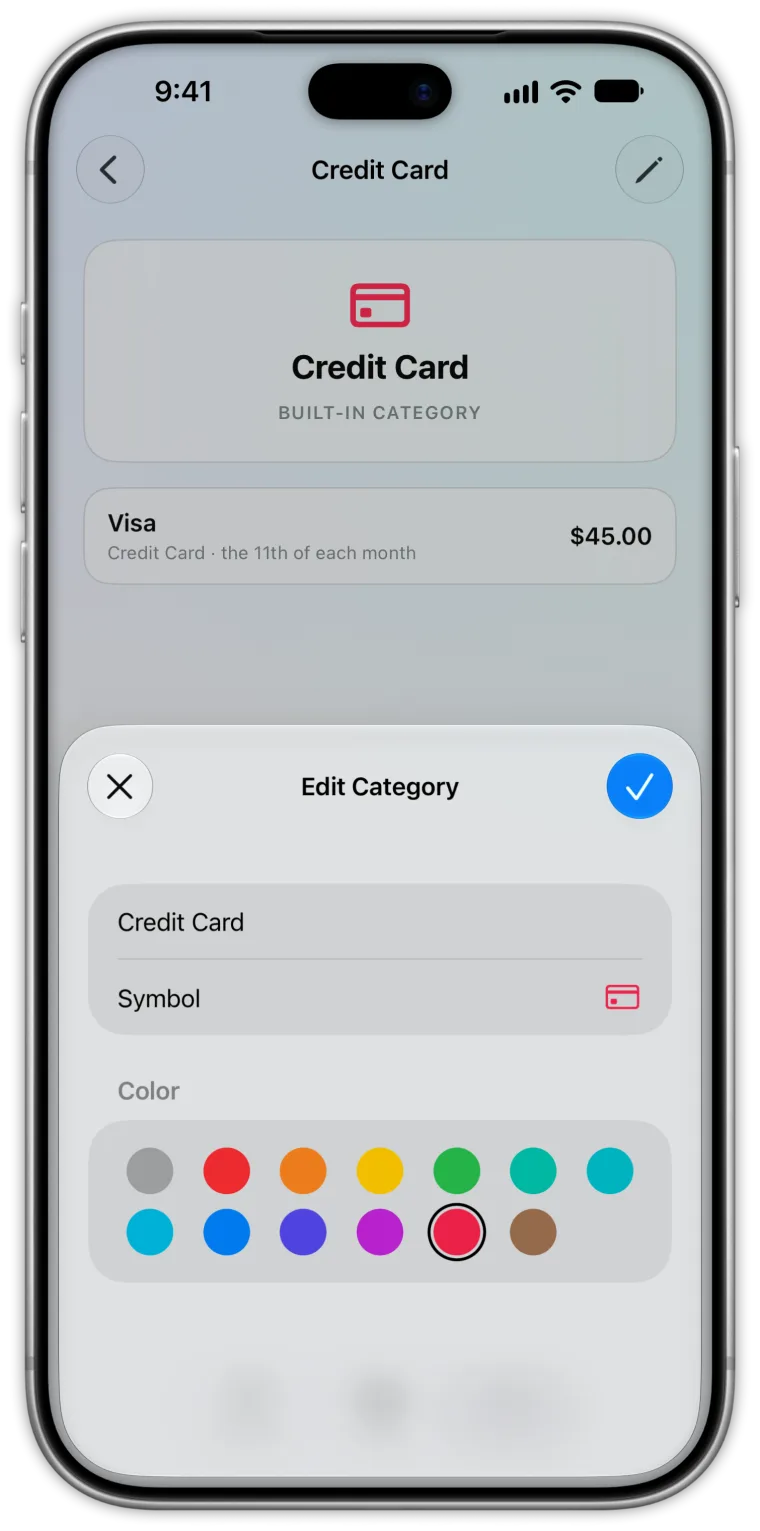
  • Editing a category's name, symbol, and color.

    Categories your way

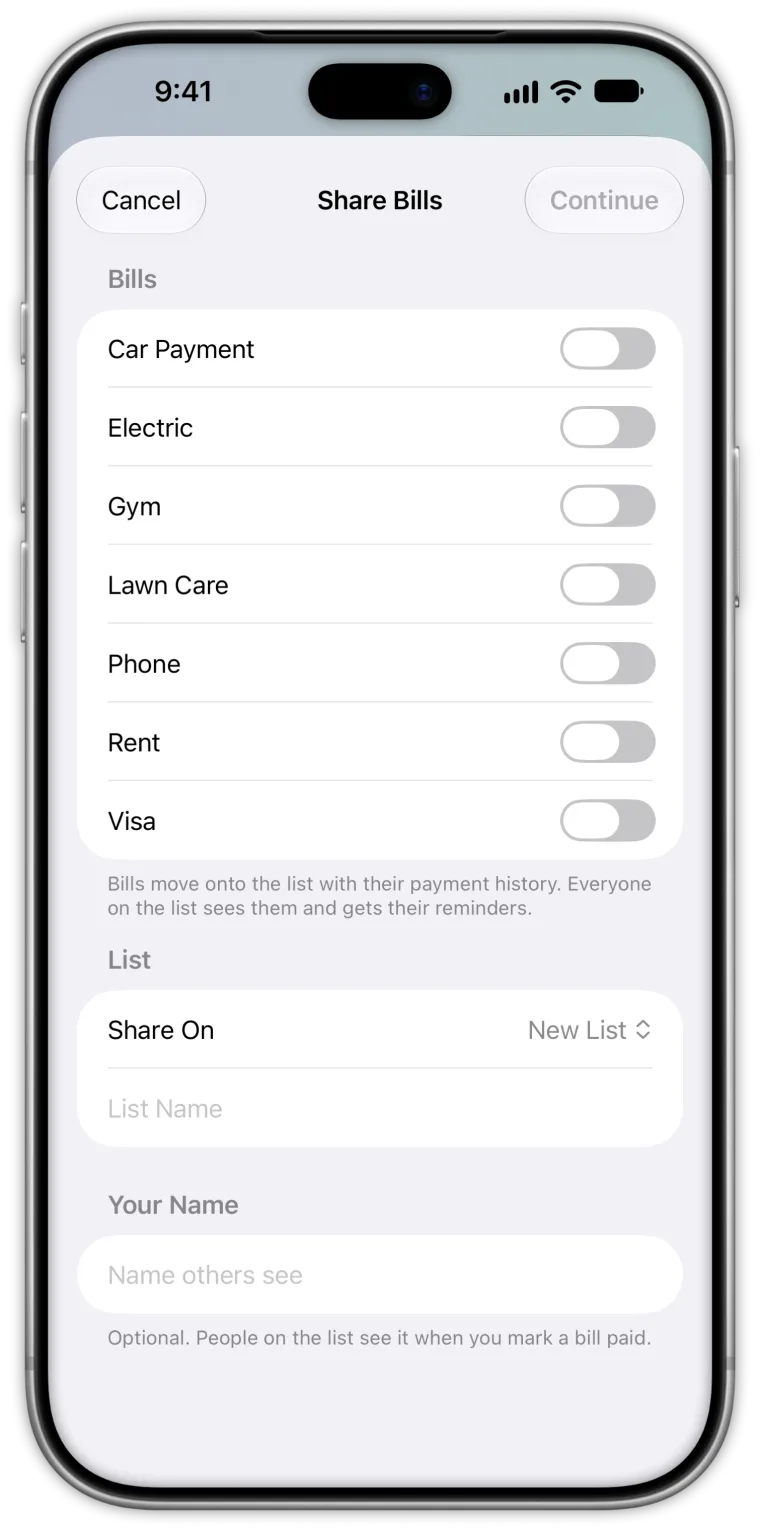
  • Choosing which bills to share and the name others will see.

    Choose what you share

On your Home Screen, Lock Screen, and with Siri

Widgets in every size show what's due next, and on the Home Screen you can mark a bill paid right from the widget without opening the app.

Or just ask:

  • “What's due this week in DueKnot?”
  • “Are there any overdue bills in DueKnot?”
  • “Pay a bill in DueKnot.”
A large DueKnot widget on the Home Screen showing $1,840 left this cycle and the overdue and due-soon bills, each with a checkmark button. The Lock Screen with a DueKnot widget showing $1,840 left this cycle.

Share with your household

Share your bills with up to 5 people on their own Apple Accounts, so everyone sees the same list. Every payment shows who paid it, so no one pays the same bill twice. You choose whether each person can edit or only view.

Sharing is part of DueKnot Pro. Only you need Pro: the people you invite use DueKnot free.

A shared water bill. Its history shows Paid by Alex, October 14.

Private by design

DueKnot has no account to create and never asks for your bank login. There are no ads and no tracking.

Your bills are stored on your device and sync between your iPhone, iPad, and Mac through your own private iCloud, and sync is free, always. We can't see your bills, because they never reach us. Read the privacy policy

  • No account

    Nothing to sign up for. Open the app and add a bill.

  • No bank login

    DueKnot never asks for it and never connects to your bank.

  • No ads or tracking

    No ads in the app, and nothing following what you do.

  • Your own iCloud

    Bills sync through your private iCloud, free, always.

Free to start. One price to unlock everything.

Free

Free

  • Active billsUp to 5
  • Reminders per bill1
  • Share with your householdNot included
  • Widgets, Siri, iCloud syncIncluded

DueKnot Pro

One-time purchase

  • Active billsUnlimited
  • Reminders per billMultiple
  • Share with your householdIncluded
  • Widgets, Siri, iCloud syncIncluded

No subscription. Buy Pro once and it unlocks on every device signed in to your Apple Account.

DueKnot app icon with a multi-colored rope tied in a knot with a bill in the middle of the tied rope and a ringing bell on the right side of the rope

Tie a knot around your bills.

Coming soon to the App Store